
Introduction
The Key Management Service (KMS) is a necessary part of the Microsoft volume licensing system. It provides a way to activate volume license versions of Windows operating systems and Office.
Its main function is to allow volume-licensed customers to automate the activation process using a (KMS) key. This guide will walk you through the steps to install and activate your Windows OS using a KMS client product key.
Note: The
<product key>should be replaced with the actual product key you want to install.
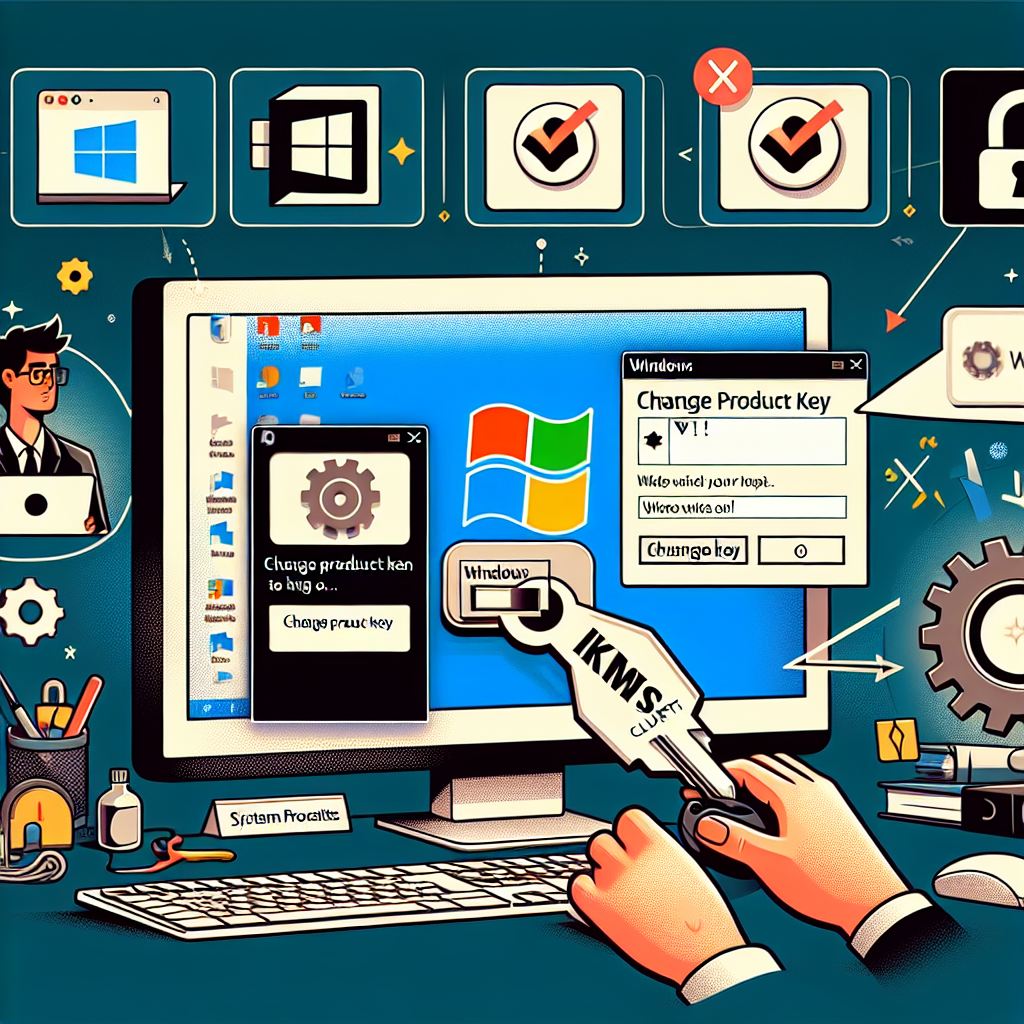
Install a product key
Open an administrative command prompt on the client and run the following command, then press Enter:
To open an administrative command prompt on your computer, follow these steps:
- Press the
Windowskey on your keyboard or click theStartbutton to open the Start menu. - Type “Command Prompt” into the search bar.
- Right-click on “Command Prompt” in the search results.
- Select “Run as administrator” from the context menu.
Once you have the administrative command prompt open, you can run the commands listed in the guide to install and activate your Windows OS using the KMS client product key.
slmgr /ipk <product key>
Set the KMS machine address
Run the following command to connect to the Windows KMS server:
slmgr /skms kms8.msguides.com
Activate Windows
Execute the following command to activate Windows:
slmgr /ato
Windows Client Product Keys
Windows 11
| Operating System Edition | KMS Client Product Key |
|---|---|
| Windows 11 Pro | W269N-WFGWX-YVC9B-4J6C9-T83GX |
| Windows 11 Pro N | MH37W-N47XK-V7XM9-C7227-GCQG9 |
| Windows 11 Pro for Workstations | NRG8B-VKK3Q-CXVCJ-9G2XF-6Q84J |
| Windows 11 Pro for Workstations N | 9FNHH-K3HBT-3W4TD-6383H-6XYWF |
| Windows 11 Pro Education | 6TP4R-GNPTD-KYYHQ-7B7DP-J447Y |
| Windows 11 Pro Education N | YVWGF-BXNMC-HTQYQ-CPQ99-66QFC |
| Windows 11 Education | NW6C2-QMPVW-D7KKK-3GKT6-VCFB2 |
| Windows 11 Education N | 2WH4N-8QGBV-H22JP-CT43Q-MDWWJ |
| Windows 11 Enterprise | NPPR9-FWDCX-D2C8J-H872K-2YT43 |
| Windows 11 Enterprise N | DPH2V-TTNVB-4X9Q3-TJR4H-KHJW4 |
| Windows 11 Enterprise G | YYVX9-NTFWV-6MDM3-9PT4T-4M68B |
| Windows 11 Enterprise G N | 44RPN-FTY23-9VTTB-MP9BX-T84FV |
Windows 10
| Operating System Edition | KMS Client Product Key |
|---|---|
| Windows 10 Pro | W269N-WFGWX-YVC9B-4J6C9-T83GX |
| Windows 10 Pro N | MH37W-N47XK-V7XM9-C7227-GCQG9 |
| Windows 10 Pro for Workstations | NRG8B-VKK3Q-CXVCJ-9G2XF-6Q84J |
| Windows 10 Pro for Workstations N | 9FNHH-K3HBT-3W4TD-6383H-6XYWF |
| Windows 10 Pro Education | 6TP4R-GNPTD-KYYHQ-7B7DP-J447Y |
| Windows 10 Pro Education N | YVWGF-BXNMC-HTQYQ-CPQ99-66QFC |
| Windows 10 Education | NW6C2-QMPVW-D7KKK-3GKT6-VCFB2 |
| Windows 10 Education N | 2WH4N-8QGBV-H22JP-CT43Q-MDWWJ |
| Windows 10 Enterprise | NPPR9-FWDCX-D2C8J-H872K-2YT43 |
| Windows 10 Enterprise N | DPH2V-TTNVB-4X9Q3-TJR4H-KHJW4 |
| Windows 10 Enterprise G | YYVX9-NTFWV-6MDM3-9PT4T-4M68B |
| Windows 10 Enterprise G N | 44RPN-FTY23-9VTTB-MP9BX-T84FV |
Windows 8.1 & 8
| Operating System Edition | KMS Client Product Key |
|---|---|
| Windows 8.1 Pro | GCRJD-8NW9H-F2CDX-CCM8D-9D6T9 |
| Windows 8.1 Pro N | HMCNV-VVBFX-7HMBH-CTY9B-B4FXY |
| Windows 8.1 Enterprise | MHF9N-XY6XB-WVXMC-BTDCT-MKKG7 |
| Windows 8.1 Enterprise N | TT4HM-HN7YT-62K67-RGRQJ-JFFXW |
| Windows 8 Pro | NG4HW-VH26C-733KW-K6F98-J8CK4 |
| Windows 8 Pro N | XCVCF-2NXM9-723PB-MHCB7-2RYQQ |
| Windows 8 Enterprise | 32JNW-9KQ84-P47T8-D8GGY-CWCK7 |
| Windows 8 Enterprise N | JMNMF-RHW7P-DMY6X-RF3DR-X2BQT |
Windows 7
| Operating System Edition | KMS Client Product Key |
|---|---|
| Windows 7 Professional | FJ82H-XT6CR-J8D7P-XQJJ2-GPDD4 |
| Windows 7 Professional N | MRPKT-YTG23-K7D7T-X2JMM-QY7MG |
| Windows 7 Professional E | W82YF-2Q76Y-63HXB-FGJG9-GF7QX |
| Windows 7 Enterprise | 33PXH-7Y6KF-2VJC9-XBBR8-HVTHH |
| Windows 7 Enterprise N | YDRBP-3D83W-TY26F-D46B2-XCKRJ |
| Windows 7 Enterprise E | C29WB-22CC8-VJ326-GHFJW-H9DH4 |
Windows Vista
| Operating System Edition | KMS Client Product Key |
|---|---|
| Windows Vista Business | YFKBB-PQJJV-G996G-VWGXY-2V3X8 |
| Windows Vista Business N | HMBQG-8H2RH-C77VX-27R82-VMQBT |
| Windows Vista Enterprise | VKK3X-68KWM-X2YGT-QR4M6-4BWMV |
| Windows Vista Enterprise N | VTC42-BM838-43QHV-84HX6-XJXKV |
Always use an appropriate product key matching the OS edition you’re installing.
Removing a product key
If you accidentally picked and installed the wrong product key, you can remove it using the following command:
slmgr /upk
To conclude, you can easily automate and manage the activation process of your Windows OS using the built-in commands and KMS client product keys. This is extremely beneficial for volume-licensed customers as it centralizes and streamlines the process.
If you found this guide helpful, consider buying me a coffee. Thank you!